
Searching Coffee County Cases by Name
Coffee County posts no public guest form where you can type a party name and browse State or Superior results. Instead, Georgia Courts' E-Access to Court Records page names Coffee State and Coffee Superior and sends those court records to PeachCourt. PeachCourt asks for an account first. The search area sits behind that sign-in.
Type the fullest spelling you have. Then compare the caption, the court, the case type, the filed date, and the status against your source papers. When a result looks off, ask the Clerk of Superior Court before trusting it.
- Choose the court path. Start with the court named on the filing, citation, or notice. State and Superior records use the Georgia Courts and PeachCourt route; municipal and Magistrate matters use separate offices.
- Open the official access route. Select Coffee State or Coffee Superior from Georgia Courts E-Access and follow the account-gated service. Do not use the county events calendar as a substitute for case search.
- Sign in or register. PeachCourt visibly presents Email, Password, Login, Register, and Forgot your password controls. Complete only the account steps needed to reach the authorized search view.
- Search the name if the authorized view exposes that field. Enter the last name and first name as shown in the case materials, then compare court, case type, filing date, and caption rather than selecting the first similar name.
- Confirm a result or call the clerk. Record the case number and event status. If no result appears, ask whether the case is in another court, restricted, unscanned, or outside the public account view.
What the public can see on the access screen are account controls, not an open guest search field. Even that limited view teaches something. It marks the line between a public information page and an authorized case service.
| Field Label | Type | Required | Notes |
|---|---|---|---|
| Text or email | Yes for login | Account credential; no guest name search is shown. | |
| Password | Password | Yes for login | Account credential; recovery is separate from a case lookup. |
| Login or sign in | Button | Yes to proceed | Opens the account-gated service. |
| Register | Link or button | For new users | Creates an account before authorized access. |
| Forgot your password? | Link | Optional | Credential recovery control. |
| Court and case search fields | Not exposed | Unknown | No public field list, results view, pagination, or name-match rules were accessible before login. |
Coffee County PeachCourt Access
Georgia Courts names PeachCourt as the provider for Coffee State and Coffee Superior access, and its e-file chart marks PeachCourt as mandatory for State and Superior e-filing. The public route stops at an account gate. The court posts no Coffee-specific prices there. No pagination or open guest form appears on that side of the wall.
E-filing and e-access are cousins, not twins. An authorized search shows only what the court and the record allow. Sealed items, protected identifiers, and restricted exhibits stay limited. If the account view fails you, call or visit the Clerk of Superior Court.
The PeachCourt access page shows where the account boundary sits. The Georgia Courts e-filing chart adds the separate mandatory e-filing context.
Searching Coffee County by Case Number
A case number is the strongest key for a Coffee County docket search. The county publishes no single public syntax for one. Enter the case number as printed, with every letter, digit, space, and punctuation mark intact. Never invent a year code or court abbreviation.
Pair the number with the court name. State, Superior, Magistrate, city, and federal identifiers live in different systems. If the number fails, recheck each copied character. Then ask the clerk whether the case moved or sits under restriction.
The Clerk of Superior Court holds Superior, State, and Juvenile records. Magistrate, Probate, and municipal offices keep their own files. One failed search never proves a case was never filed.
Coffee County Search Has No Guest Form
A common wrong turn is assuming every county link is a case search. Coffee's calendar page has event controls. It lacks case number, party, judge, and courtroom fields. The Magistrate forms page and the TurboCourt link are not a live public docket either.
An account screen is an access condition, not a result. Use the official route once authorized. Or call the clerk. Give the court class, the number if known, the case type, and a date range, plus the entry or document you need.
The county NextRequest portal serves county-agency records. It cannot bypass court-clerk access rules or replace the office that keeps the case file.
What a Coffee County Case Search Returns
A case result is a structured record. It is not a full story about anyone's dispute. You may see an index, an event history, document links, or a restriction label. Fields vary with the court, the account, and the record status. Keep one rule in mind. A docket entry does not prove the claims in a pleading.
The schema below is a non-personal request checklist. It is drawn from the documented Coffee search and docket interfaces.
| Case Number | The court-assigned identifier, copied exactly as printed. |
|---|---|
| Court | Superior, State, Magistrate, Probate, Juvenile, municipal, or another named court. |
| Filed Date and Type | The filing date and case category, such as criminal, civil, traffic, probate, or ordinance. |
| Status | Open, pending, disposed, continued, restricted, or another status the official system defines. |
| Judge | The judge or court assignment shown by the authorized record. |
| Caption and Parties | The case style and public party roles, with protected identifiers left out. |
| Attorneys | Attorney names or representation indicators when the court view makes them public. |
| Charges or Pleadings | Charge labels, complaints, petitions, motions, answers, or other filed items. |
| Event History and Settings | Dated filings, hearings, resets, orders, dispositions, and document or restriction indicators. |
| Update | A last-updated or source-time field when the official service supplies one. |
Coffee County Traffic Lookup
Traffic citations run through a separate Coffee State Court lookup and payment route. The county-linked FivePoint portal offers a Traffic or Citation Number route. It also offers a Driver's License Number route. It is not the full State Court docket.
Give it time. FivePoint warns a citation can take at least three weeks to appear. A missing result does not mean no fine exists. For a court date or a plea instruction, contact the issuing court or clerk. That also covers a citation that will not show up.
Keep this lookup separate from a countywide case search. A citation naming Douglas Municipal Court goes through the city route. One naming Coffee State Court can be located on FivePoint, while the Clerk stays the contact for the case record itself.
Statewide vs Coffee County Case Search
Georgia maintains a statewide access directory, but Coffee County offers no single public docket search that takes a guest name and returns every court class. Georgia Courts E-Access lists Coffee State and Coffee Superior, then routes to PeachCourt behind an account requirement. County offices still matter for the other court classes and for particular documents or settings.
| Georgia Statewide Layer | Coffee County Case Path |
|---|---|
| Georgia Courts E-Access lists participating court routes. | Coffee State and Coffee Superior route to PeachCourt; other court classes use their own offices. |
| An account is required before the Coffee State or Superior service can be assessed. | The Clerk of Superior Court, Magistrate, Probate, Juvenile, or municipal clerk supplies the court-specific fallback. |
| Provider coverage and account views depend on the court and record. | A county calendar is an events page, and Magistrate forms are not a live case search. |
| Useful for routing a State or Superior inquiry. | Useful for confirming a known Coffee case, court class, setting, filing, or copy request. |
Use the layer that matches the court named in the source record. A statewide directory is a route map, not proof that every Coffee case sits in one index.
Coffee County Federal Cases Use PACER
Federal matters skip the local courthouse. A federal case tied to Coffee County belongs to the Southern District of Georgia, not the county clerk's State or Superior docket, and the official Waycross Division page gives the federal location and clerk instructions. Public searching runs through PACER Find a Case, which requires registration first. Waycross sits at 601 Tebeau Street, Waycross, Georgia 31501. Mail goes to P.O. Box 1636, Brunswick, Georgia 31521. The clerk line is 912-283-2870, and case questions go to Brunswick at 912-280-1330.
PACER charges $0.10 per page, caps each document at $3, and waives fees once quarterly charges stay at or under $30. Verify current rates before paying. The federal locator shows district courts, not a Coffee County trial-court docket screen.
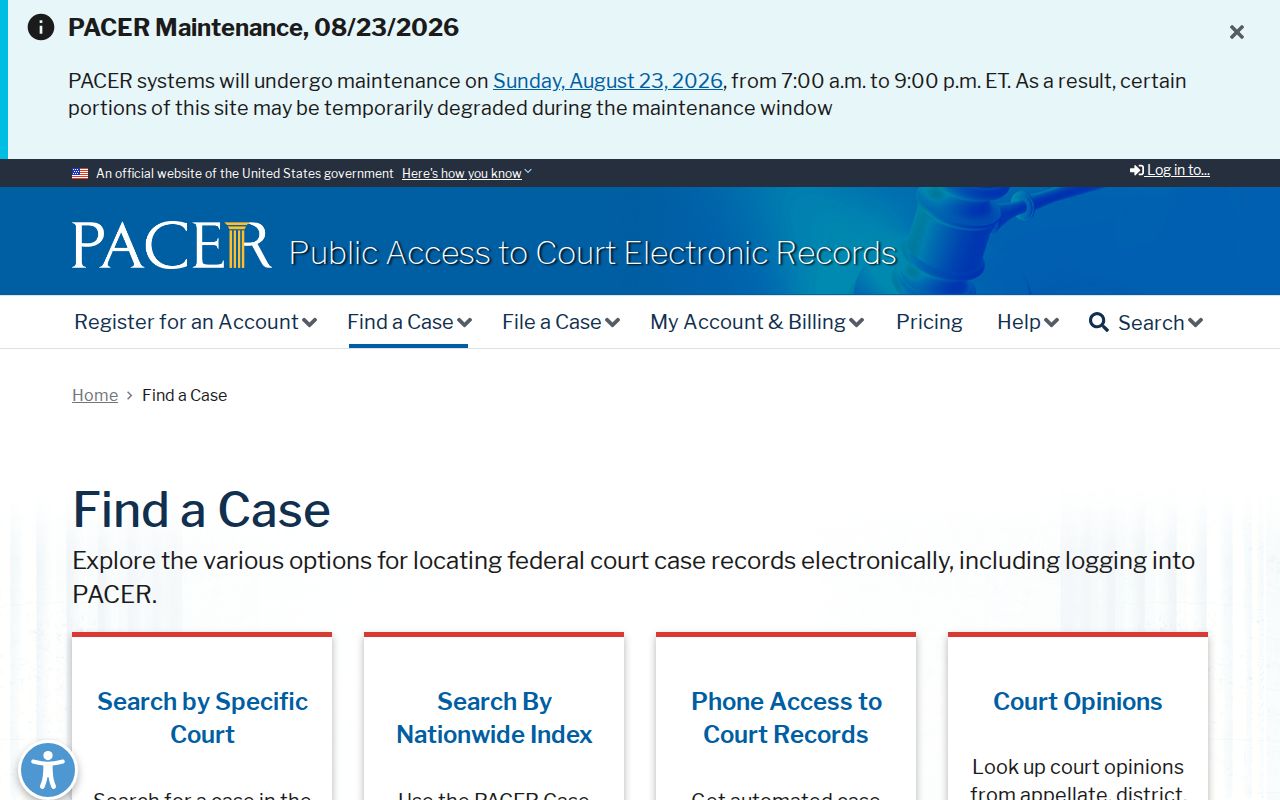
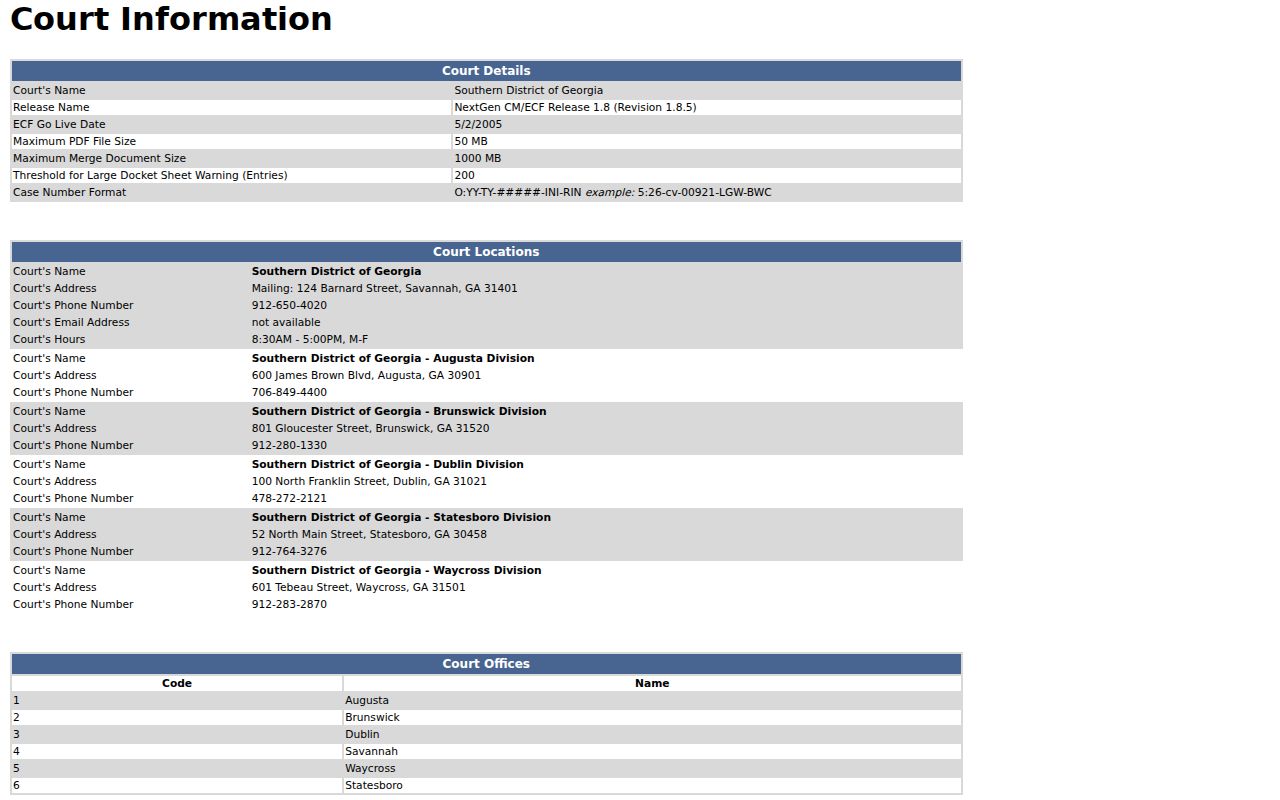
Write down the federal court name and case number before anything else. The CM/ECF court-information page shows a sample format such as 1:26-cv-00175-JRH. That numbering is federal. No Coffee County State or Superior docket uses it. The official Waycross page still points to a single federal court. It does not create a second Coffee County docket.
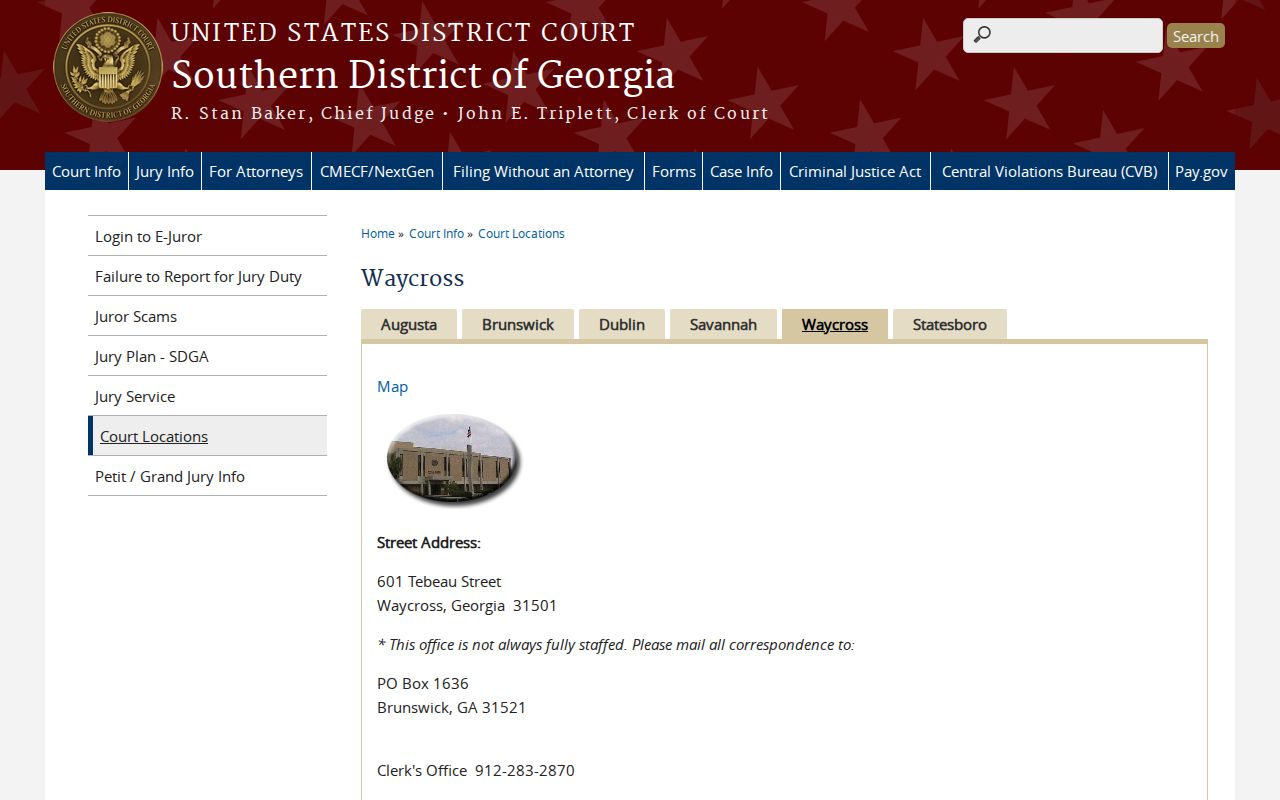
CM/ECF is the court's filing system. PACER is the public layer. When you search, pair the court name, division, and case number together, and rely on the CM/ECF court-information page the federal site publishes as the reference.
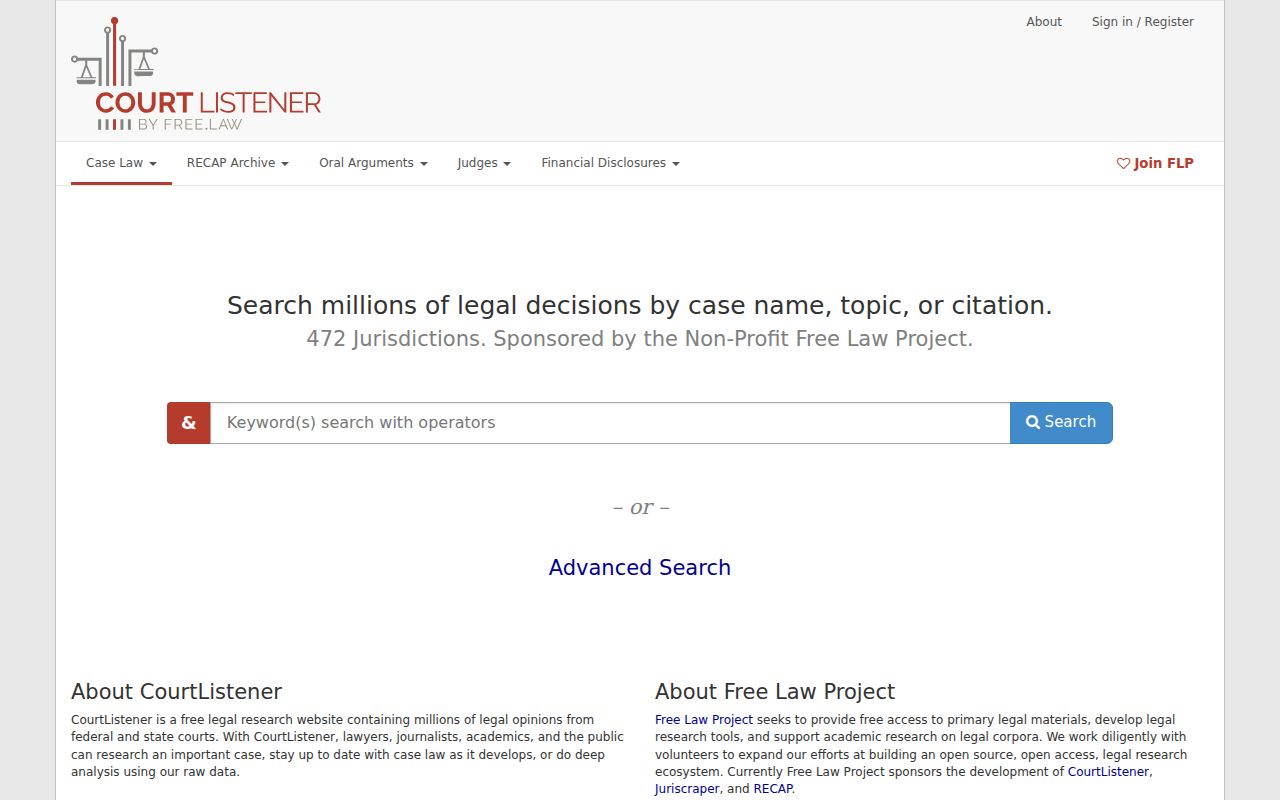
Free copies exist sometimes. CourtListener and RECAP can provide free federal docket documents, but coverage is incomplete and the archive is not the official custodian. Know the court and case number first. Then treat the free federal archive as a backup route, not the record itself.
Federal archives do not fit local matters. For a Coffee State, Superior, Magistrate, Probate, Juvenile, or municipal case, use the local court's documented access channel instead.
Coffee County Access and Restricted Cases
A missing docket row has many possible causes. The court class may limit access. The record could also be sealed, filed in camera, redacted, restricted, or juvenile-confidential. Georgia Courts' JDEX information covers authorized professional access to juvenile data under Article 9. JDEX is not a public Coffee juvenile search shortcut. Rule 21 and Rule 21.6 govern access and protected identifiers. Model Rule 36.16 and OCGA §9-11-7.1 support redaction, while OCGA §35-3-37 sets out a restriction process.
If a row or document link is absent, ask why. It may be sealed, restricted, unscanned, or behind an account or copy workflow. The clerk can say which. Request the releasable or redacted portion through the proper clerk. Never infer private facts from a missing row.
Coffee County Dashboard Filters
Georgia Courts' data dashboards count filings, not cases. Filters cover year, county, court, case type, and category. A Coffee selection measures court activity across those aggregate filings. It is not a case list. The totals will not replace PeachCourt, a clerk request, or a municipal docket search, and they supply no case number, caption, event history, setting, or document image.
Use the numbers for scale. Keep the case task separate and return to the court named in the source record. The official references are the Georgia Courts Data and Statistics directory and its dashboard guide, which document the aggregate filters.