
How to Get Coffee County Court Records
Start with the basics. Name the court, the case number or caption, and the record type you want. Say whether a plain or certified copy is needed. For Coffee State and Superior Court, PeachCourt handles access. GSCCCA eCertification covers eligible certified digital records. Magistrate, Probate, Juvenile, and municipal files each sit with their own offices instead.
- Identify the record. Choose a docket sheet, filed document, certified copy, or transcript, and note the court class and approximate filing date.
- Check the online route. Use PeachCourt for Coffee State or Superior access, eCertification for eligible certified records, or the county Magistrate forms and fee pages for starting documents.
- Contact the custodian. Call or visit the relevant clerk when the online route is gated, incomplete, or does not show the needed document.
- Ask about delivery. Coffee does not publish one universal court-record mail, fax, email, or dropbox workflow. Ask the correct office for its current in-person, mail, or electronic instructions.
- Give search details. Include the case number as printed, caption, court, record name, filing date or range, and plain-versus-certified request.
- Confirm the result. Ask about the current fee, payment method, redactions, seal, scan status, and whether a transcript must be ordered from a certified reporter.
One caution on the county NextRequest portal. It serves county-agency records, not court files, so it is no substitute for the clerk of court. Once you know the record exists, a Coffee County case search helps confirm the case number and court before you send a copy request.
Coffee County Court File Routes
Elisa C. Gillis, Clerk of Superior Court, keeps the Coffee Superior, State, and Juvenile records. The Probate office holds estates, wills, guardianships, marriage records, and weapons-carry licenses. Tammy Rivers and the Magistrate office handle lower-dollar civil claims, garnishments, dispossessories, warrants, and first appearances. City clerks keep the municipal files. That split is the routing fact that matters most. Asking for Coffee County court records is too broad when the case is really a city ordinance matter, a probate file, or a Magistrate claim. Use the court named on the filing or citation. Then ask that office whether the item is scanned, certified, sealed, or available only by request.
Types of Coffee County Court Records
Four record products answer four different questions, and a plain copy fits many of them. The clerk can tell you which product matches your purpose before you pay anything.
- Docket sheet or register: chronological case events, filings, settings, orders, and status entries.
- Filed document or image: a complaint, accusation, motion, order, judgment, exhibit, or other item filed in the case.
- Certified copy: a clerk-authenticated copy with the certification needed for an official use.
- Transcript: a reporter’s record of oral proceedings, requested through the certified reporter or clerk referral rather than treated as a docket entry.
Coffee County eCert Court Types
GSCCCA's eCertification service lists Coffee as a participating county for Juvenile, State, and Superior Court. It is an account-based request path for eligible certified digital documents. It is not a free guest docket search. It also does not cover every court class. Check the public county list for your court. The official Coffee participating-court list names the participating court types. It does not list a Coffee-specific fee for every document, so ask the clerk about costs.
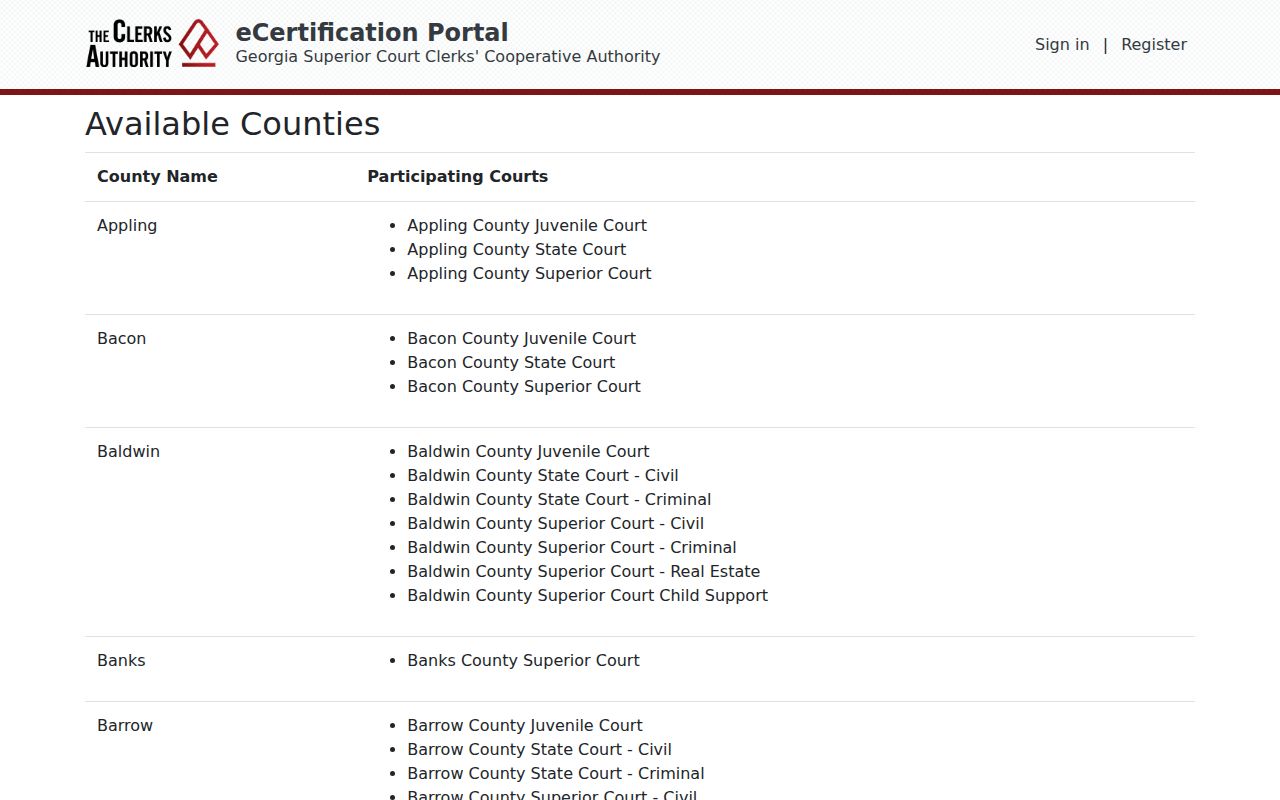
Take the listed court type, pair it with your case details, and complete the request through the eCertification account and clerk-processing workflow. The clerk handles the rest from there.
What a Coffee County Court Record Contains
A case file can hold far more than a docket index shows. Ask for the exact field or document you need. Just because an event appears in a result does not mean the document image is public. This non-identifying inventory reflects the Coffee research schema.
| Case Number | The court-assigned identifier, copied exactly from the official source. |
|---|---|
| Court and Case Type | The court class and civil, criminal, traffic, probate, juvenile, or ordinance category. |
| Caption and Roles | Party names and roles such as plaintiff, defendant, petitioner, or respondent, subject to protected-identifier limits. |
| Filed Date and Status | The opening date and current status shown by the official record. |
| Docket Sheet | Chronological filings, settings, motions, orders, resets, and dispositions. |
| Pleadings and Orders | Complaints, petitions, answers, motions, signed orders, judgments, and related filings. |
| Document Image | A PDF or scan when the item is available, not sealed, and within the requester’s access. |
| Restriction or Redaction | A seal, in-camera label, protected identifier, missing scan, or other access note. |
Coffee County State E-Filing
Georgia Courts marks PeachCourt as mandatory for e-filing. It applies to both Coffee State Court and Coffee Superior Court. E-filing supports court documents. It relates to public e-access, but it does not promise that every document is free, unsealed, or visible to a guest. Older or restricted items still belong with the clerk that keeps the file. The official Georgia Courts e-filing chart is a provider chart, not a complete Coffee document index.
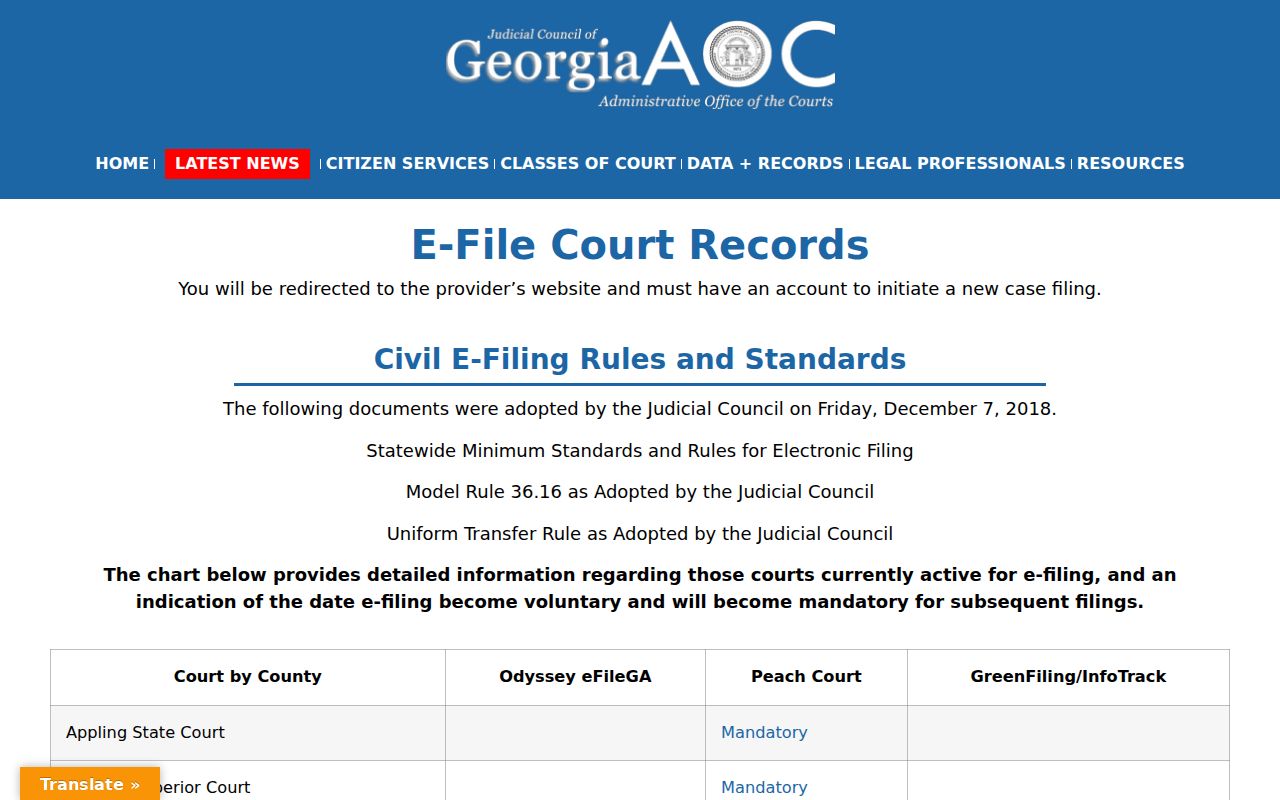
Use PeachCourt for the State or Superior route. For a plain copy, certified copy, sealed item, or anything missing from the account view, ask the clerk directly.
Certified Copies and Fees
A plain copy just reproduces a record. A certified copy carries the clerk's authentication. Order one only when the receiving agency or your stated purpose requires it. Coffee's official pages publish no current general Superior or State copy schedule. Confirm that fee with the relevant clerk. The detailed amounts below come from the official Magistrate fee sheet effective July 1, 2024. They are not general Superior or State copy prices.
| Item | Amount or status |
|---|---|
| Superior or State general copy/certification | Fee not located in official Coffee sources; confirm with the relevant clerk. |
| eCertification eligible document | Exact Coffee fee not displayed on the public pages; confirm after selecting court and document type. |
| Magistrate certified copy | $3 certificate plus $1 for each additional page under OCGA §15-6-77. |
| Magistrate statement of claim | $50 without Sheriff service; $100 with service, plus $50 for each additional defendant address. |
| Magistrate dispossessory | $100 including writ and service. |
| Post-judgment interrogatory or subpoena | $10 each; Sheriff service is listed separately at $50 per civil defendant. |
| FIFA | $4 issuance; $25 recording or cancellation. |
Note: The Magistrate figures are from the July 1, 2024 fee sheet and should not be used as a general Coffee copy schedule.
Clerk of Superior Court
101 S. Peterson Ave., Suite B-18
Douglas, GA 31533
912-384-2865
Monday-Friday, 8:30 a.m.-5:00 p.m.
Magistrate Court
825 Thompson Drive
Douglas, GA 31535
912-384-1381
Monday-Friday, 8:00 a.m.-5:00 p.m.
Coffee County eCert Clerk Processing
eCertification starts with an account or registration. The public landing page shows request-document and authentication-code paths. The full request fields appear only after the account, county, and document choices. Select Coffee, name the court and document type, then submit for clerk processing. The official eCertification landing page shows the account boundary. It is used before a new request or an existing-document lookup.
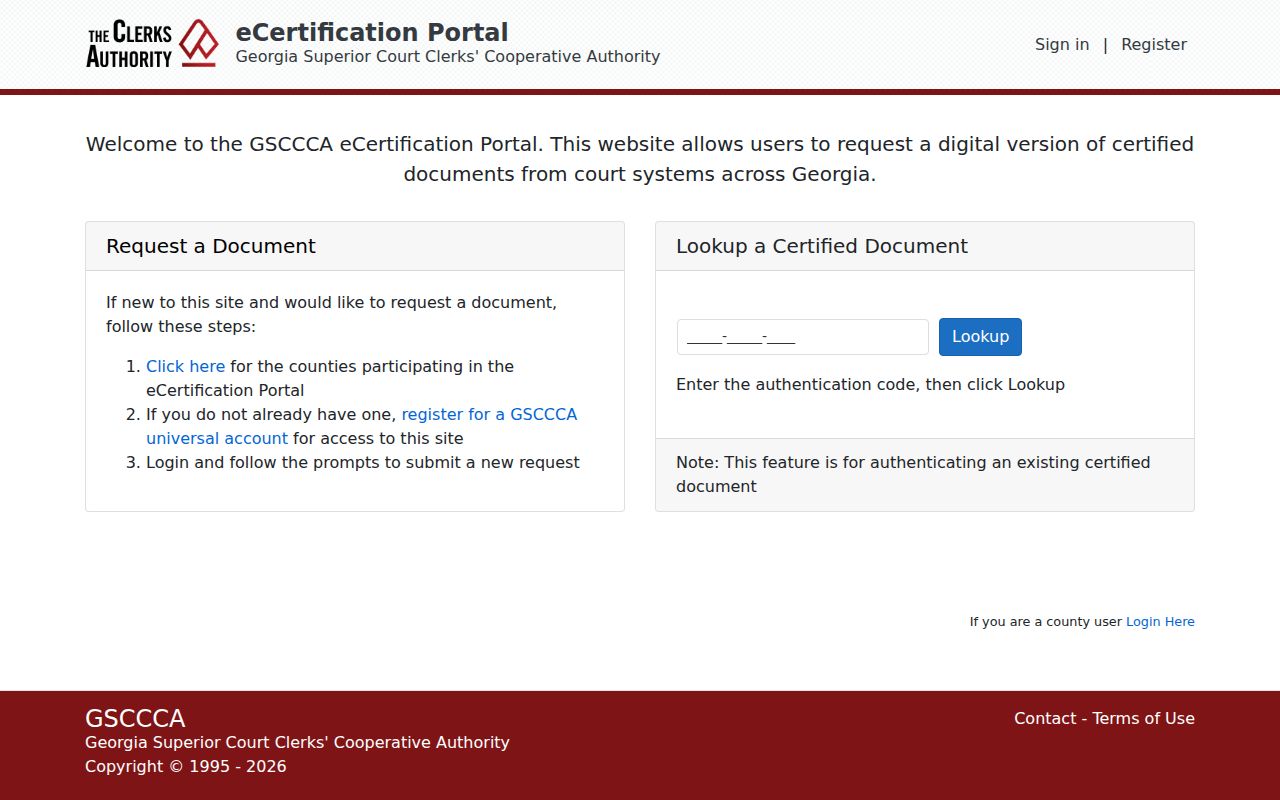
An account screen is not a denial. It is not proof that a document is ready either, only the first step before the county and document choices can be submitted.
When Coffee County eCert Awaits Payment
A request sitting at “Awaiting Payment Final Authorization” is not finished. The clerk still has a processing step open. Under GSCCCA’s workflow, an emailed authorization link arrives before final payment and document completion. The posted instructions list no single Coffee County fee for every document type, so confirm the amount at that stage or with the clerk directly. The GSCCCA eCertification workflow lays out that processing and authorization sequence on its official page.
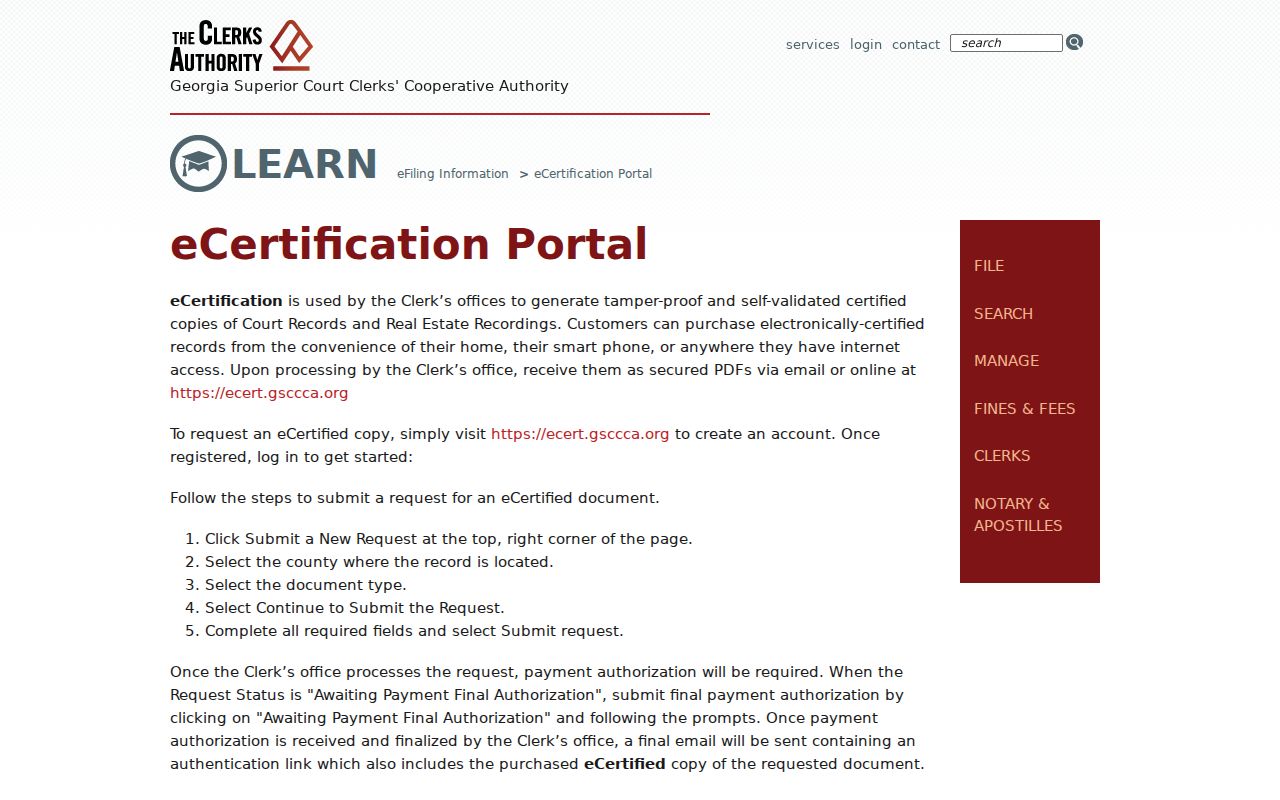
Keep your authentication or request information until the certified document is completed. A pending payment step is not a missing case record, and it is not a sealed document.
Coffee County NextRequest Is Not a Court File
Coffee County NextRequest is the county's portal for agency records. It handles requests aimed at county-government files. Court records are a different matter. Elisa Gillis's office holds the Superior, State, and Juvenile court records covered here. A NextRequest submission neither replaces a clerk's copy request nor opens a sealed case file.
So when does the portal fit? Use it only for agency records that the county routes that way. For a docket sheet, a filed court document, a certified copy, or a transcript, name the court first. Then contact the clerk who keeps it. The official portal page shows how that line is drawn.
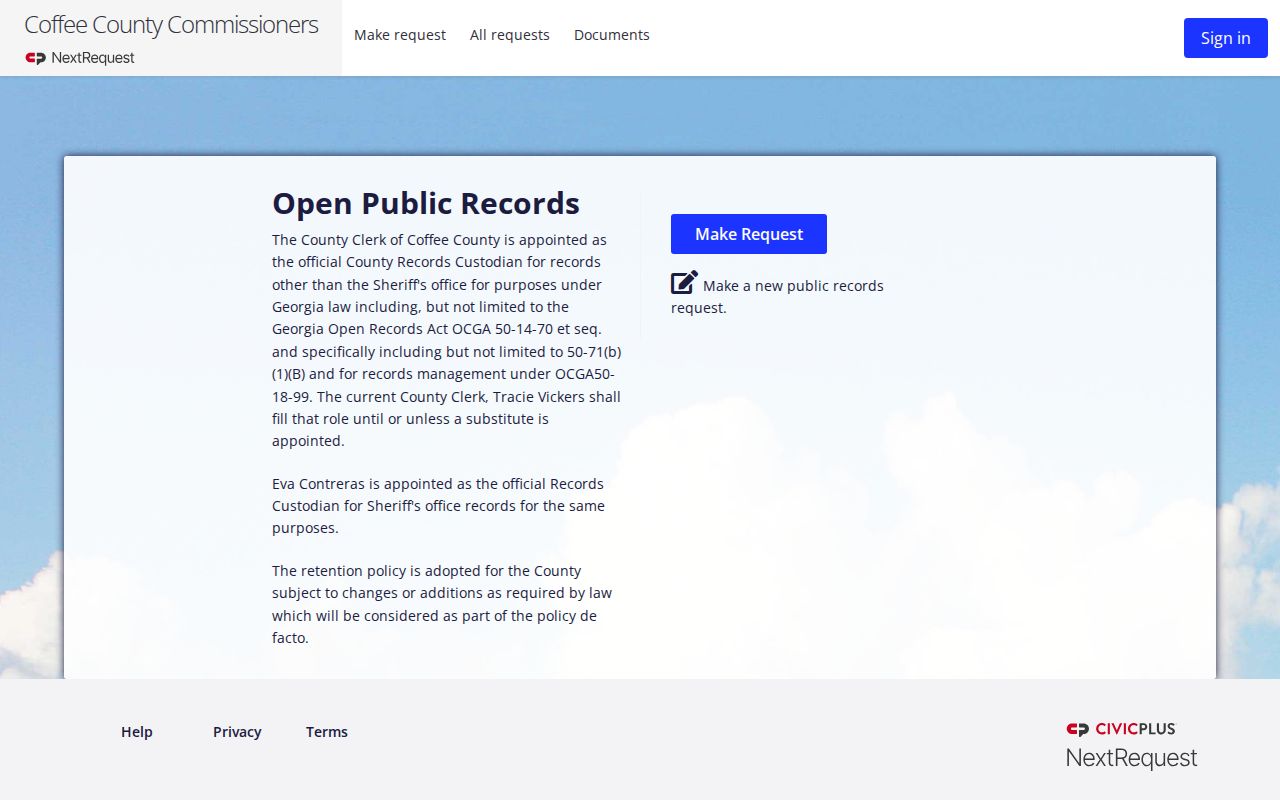
Why it matters: keeping agency records separate from court files keeps an Open Records request from landing with the wrong custodian.
Coffee County’s 1988 Index Boundary
The Clerk of Courts page says the Historical Deed Index reaches back to 1988. Read that carefully. It is a statement about property records. It is not evidence that Coffee County court dockets or old case files are online to that year. GSCCCA property search and court-file access are separate systems serving separate records.
Chasing an older court case? Ask the clerk where it sits. It may be a bound book, a paper index, an archive, microfilm, or a scan workflow. Give the court class, an approximate year, the case type, and the parties or caption. A deed search is no stand-in for a court docket. And a missing scan never means the case is missing.
Public Access and Sealed Records
Court records are open unless something limits them. A statute, a court order, a protected-identifier rule, or a special court class can each bar access. Even so, a docket entry may stay visible while the document image behind it is sealed, redacted, unscanned, or obtainable only through a copy workflow. Juvenile records carry their own confidentiality rules. One last distinction worth remembering: restricted is not destroyed.
Key Coffee and Georgia rules:
Georgia Open Records Act, OCGA §§50-18-70 and 50-18-71 - public-record access has a strong presumption, but court-file access, response timing, redaction, and copy charges still follow the proper custodian and applicable exception.
Uniform Superior Court Rules 21 and 21.6 - court records are generally public, while court orders and protected identifiers can limit inspection or require redaction.
Model Rule 36.16 and OCGA §9-11-7.1 - electronic filings carry public-access consequences, but filers must redact protected information and sealed or in-camera items remain restricted.
Georgia JDEX - juvenile data access is an authorized professional route, not a public Coffee juvenile docket.
OCGA §35-3-37 - record restriction is a specific legal process; a dismissal or absent public result does not by itself explain every record.
When a document link is missing, ask the clerk why. It may be sealed, restricted, redacted, unscanned, or held in another court class. Request whatever portion can be released, and confirm the current fee before you count on a copy.